Best Content Planner: How to Organize Your Creative Output
A best content planner isn't about picking the fanciest tool. It's about finding something that fits how you actually work, so you can spend less time organizing and more time creating.
If you're juggling multiple platforms, audiences, or content types, a planner is what keeps you sane. It's also what keeps your original ideas from getting buried under chaos.
Related: How to Create Original Content Consistently
Related: Storytelling Tips for Content Creators: 7 Essentials
What Makes a Content Planner Actually Work
The best content planners have three things in common: a visual calendar, cross-platform coordination, and minimal friction.
Related: How to Find Your Creative Voice: 7 Practical Steps
Visual calendar interface matters most. You need to see your content at a glance. A grid view of what you're publishing when helps you spot gaps, catch duplicates, and make sure you're hitting the right themes across your channels.
Related: Content Farm Examples: What They Are & Why They Matter
Cross-platform coordination is non-negotiable if you're active in multiple places. You don't want to plan your posts separately for each platform. A planner that lets you manage everything from one dashboard saves enormous time.
Minimal friction means you'll actually use it. If opening your planner feels like a chore, you won't open it. Pick something that loads fast, doesn't require 10 clicks to add a post, and doesn't make you think.
Core Features to Look For
Before you commit to any tool, check for these essentials:
- Scheduling and publishing - Can you schedule posts in advance across your platforms? This is table stakes. Look for a tool that lets you batch content on Sunday and publish throughout the week.
- Calendar view - A visual representation of your content calendar. Non-negotiable. You need to see what's going out and when.
- Approval workflows - If you work with a team, review and approval processes matter. You need reviewers to sign off before anything goes live, especially for brand content.
- Basic analytics - Some planners bundle in performance tracking. This helps you see which content types are working without jumping between five different apps.
- Content templates - Templates save time and enforce consistency. Look for customizable templates that match your brand voice.
Don't get distracted by features you don't need. A solo creator doesn't require team collaboration tools. A small business doesn't need AI generation. Start with what solves your actual problem.
Choosing Based on Your Workflow
Your workflow should determine your tool, not the other way around.
If you're designing visual content first, you'll want a planner with strong design integration. You should be able to create, edit, and schedule graphics without leaving the platform.
If you work in bursts (batch-creating content weekly or monthly), you need a tool that makes batching obvious and efficient. Calendar view + scheduling is everything here.
If you're part of a team, approval workflows and permission levels matter. Make sure your planner forces reviews before publishing. This prevents mistakes from going live and keeps everyone aligned.
If you're tracking performance, look for planners that include analytics integration. You want to see what's working without context-switching.
Planning Around Key Moments

The best content planners help you plan around what matters: key events, seasonal moments, and growth opportunities throughout the year.
Start by mapping 10+ key events or moments that matter to your audience. For a fitness creator, that's January (New Year's resolutions), summer (beach season), and holiday periods. For a business, it's industry conferences, product launches, and seasonal buying moments.
Plan your content calendar around these moments first. What are you creating? What story are you telling? When does it need to go live? Once you have the big moments locked in, fill in the gaps with evergreen, consistent content that keeps working over time.
This is where a visual calendar becomes invaluable. You can see your big moments and your daily content in one view. You catch conflicts. You make sure you're not overloading one week and ghosting the next.
The Batching Advantage
One of the biggest wins from using a content planner is batching. Instead of creating content every single day, you create it once, schedule it out, and focus on quality over constant production.
Batching works like this: set aside 2-3 hours once or twice a week to create all your content. Design the graphics, write the captions, research your talking points. Then schedule it all through your planner for the next week or month.
This reduces decision fatigue. You're not asking "what should I post today?" every morning. You've already decided. You're just showing up.
It also gives you space to think about what you're creating. Instead of rushing to fill the void, you can ask: Does this post say what I want it to? Does it match my voice? Is it original?
Integration and Sustainability
The best content planner is one that fits into your existing tools and workflow.
If you're using a project management tool for other work, see if content planning integrates there. If you're primarily designing in one tool, make sure your planner works with your design files. The fewer times you're copying and pasting, the better.
Sustainability matters too. A planner that burns you out won't last. If it's too rigid, too complicated, or too time-consuming to maintain, you'll abandon it. Pick something that scales with you.
As you grow, your planner should grow with you. If you're planning to add team members later, make sure your tool can handle it. If you're planning to expand to new platforms, make sure it supports them. You don't want to rebuild your system every six months.
The original creators building authentic work deserve tools that make consistency possible, not harder. That's why finding the right planner matters. Tools that prioritize thoughtful planning help you focus on what matters: the work itself.
Common Mistakes to Avoid
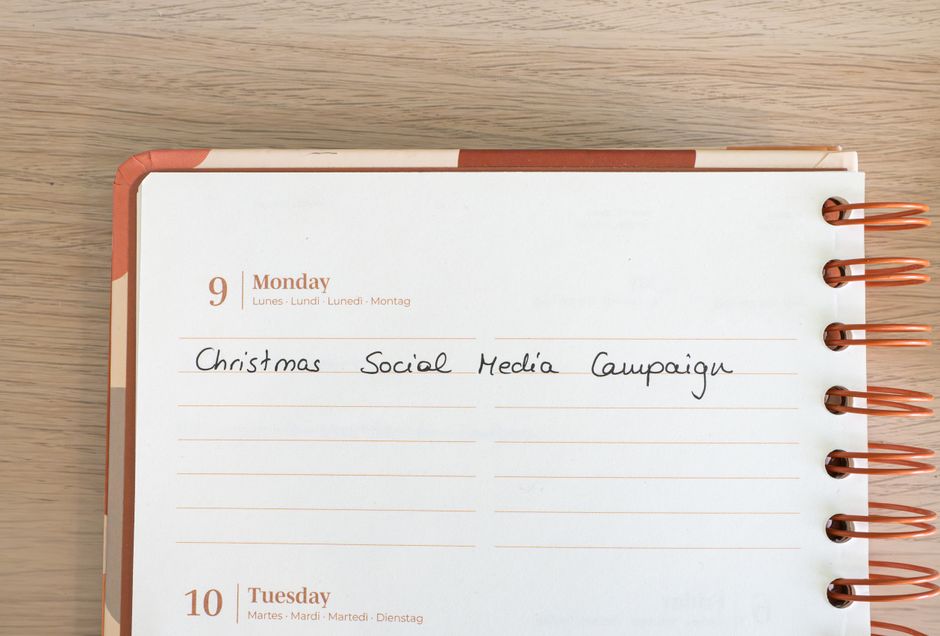
Don't over-automate. A planner is meant to help you organize, not replace your judgment. You should still be reviewing what you're publishing and making intentional choices about your content.
Don't plan too far out. Planning three months in advance is wise. Planning a year out is often a mistake. Your audience evolves. Your interests change. Lock in big moments, but keep monthly content flexible.
Don't ignore your analytics once you start scheduling. The whole point is to see what's working and do more of it. Check your performance monthly and adjust your plan accordingly.
Don't use a planner if it becomes another source of stress. If you're spending more time managing the tool than creating content, it's the wrong tool.
Getting Started This Week
You don't need the perfect planner. You need one that works.
Pick a tool that matches your needs. Start with a one-month trial. Map out your content calendar for next month. Schedule your first batch of posts. See how it feels.
The goal is consistency. A good planner makes consistency possible. It removes the friction between having an idea and getting it published. It gives you a system to build on.
When you're building something original and real, you deserve a system that keeps you on track. Phleekz is built for creators who care about doing this right. But whatever tool you choose, commit to planning. Your future self will thank you.
FAQs
What's the difference between a content planner and a scheduler?
A content planner helps you organize and visualize your content strategy. A scheduler publishes it at specific times. Most modern tools do both. You plan in a calendar view, then schedule posts to go live automatically. They're meant to work together.
Related: Content Planners: How to Organize Your Social Strategy
Can I use a content planner if I work alone?
Absolutely. Solo creators benefit most from planners. You get visibility into your output, spot patterns, and can batch-create without the overhead of team management. Start simple: calendar view and scheduling. That's enough.
How far ahead should I plan?
Plan big moments 3-4 months ahead. Plan weekly content 2-3 weeks ahead. This gives you enough runway to be intentional without locking yourself in when things change. Flexibility matters as much as planning does.
Does a content planner help you get more reach?
No planner can guarantee reach. What it does is make consistency possible, which is what builds real audiences over time. Consistency plus original work plus intentional planning equals sustainable growth. Focus on that, not on gaming metrics.
Frequently Asked Questions
What's the difference between a content planner and a scheduler?
A content planner helps you organize and visualize your content strategy. A scheduler publishes it at specific times. Most modern tools do both. You plan in a calendar view, then schedule posts to go live automatically. They're meant to work together.
Can I use a content planner if I work alone?
Absolutely. Solo creators benefit most from planners. You get visibility into your output, spot patterns, and can batch-create without the overhead of team management. Start simple: calendar view and scheduling. That's enough.
How far ahead should I plan?
Plan big moments 3-4 months ahead. Plan weekly content 2-3 weeks ahead. This gives you enough runway to be intentional without locking yourself in when things change. Flexibility matters as much as planning does.
Does a content planner help you get more reach?
No planner can guarantee reach. What it does is make consistency possible, which is what builds real audiences over time. Consistency plus original work plus intentional planning equals sustainable growth. Focus on that, not on gaming metrics.