Content Creator Kit: What You Actually Need to Get Started
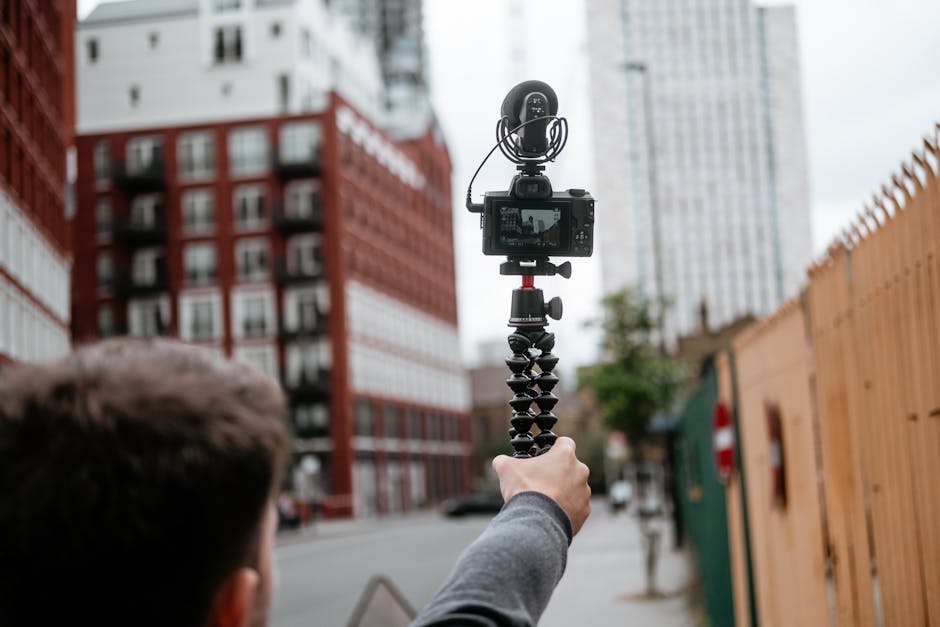
A content creator kit is basically the gear you need to produce professional-quality content without dropping thousands of dollars or spending months researching. The right setup gives you stability, clear sound, and proper light—the three things that separate "looks like I filmed this on my phone" from "actually worth watching."
Here's the thing: you don't need everything at once. But you do need to start with the right foundation, then build from there based on what you actually make.
The Core Components of a Content Creator Kit
A solid content creator kit includes five essential categories. Think of these as your non-negotiables.
Related: All in 1 Digital Content: Build Your Creator Strategy
Related: Content Planners: How to Organize Your Social Strategy
Related: Content Creator Must-Haves: Essential Tools & Strategies
Related: Best Content Planner: How to Organize Your Creative Output
Related: How to Grow an Engaged Creator Community: 7 Practical Steps
Related: 50 Content Creation Ideas to Beat Creator's Block
1. Camera or Recording Device
Your camera is the tool that captures everything. It doesn't have to be expensive—what matters is that it records clear video and gives you some control over settings. Whether you use a dedicated camera, a smartphone with a quality sensor, or a hybrid setup depends entirely on your workflow and budget.
2. Stable Support System
Shaky video kills everything. A tripod, gimbal, or mounting system keeps your footage steady and professional. Even the best camera looks amateur when the footage bounces. Stability isn't optional—it's foundational to quality output.
3. Audio Equipment
People will forgive mediocre video before they forgive bad audio. A lavalier microphone, shotgun mic, or USB condenser picks up your voice clearly and cuts out background noise. Audio makes or breaks whether someone keeps watching.
4. Lighting
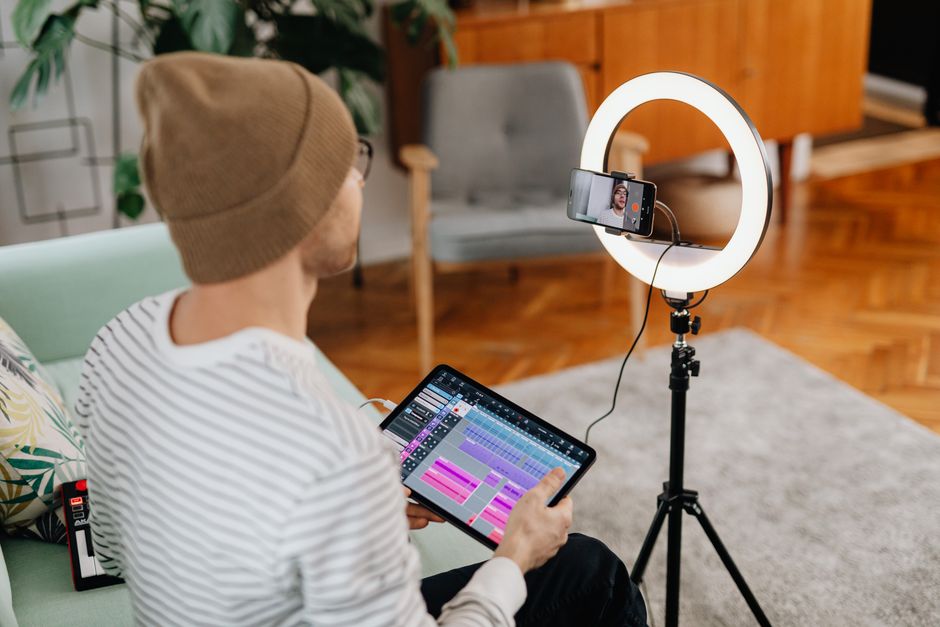
You can't film in darkness, and harsh shadows ruin your look. A content creator kit should include flexible lighting—softboxes, ring lights, or panel lights that let you control how your subject (or yourself) appears on camera. Good lighting makes everything look more intentional.
5. Modular Additions
Once you have the basics locked, you layer in what you need: extra lenses, backdrop stands, cable management, external hard drives, editing software, or Phleekz as a platform where your finished work actually gets discovered by people who care about originality. The point is modularity—you build what fits your specific needs.
Choosing a Kit Based on Your Content Type
The content creator kit that works for you depends on what you actually create.
Related: Content Creator Niche: How to Pick One That Actually Works
For Video Content (YouTube, Shorts, Reels)
You need a camera with solid autofocus, a clip-on or wireless microphone to capture clear dialogue, at least one light source, and a tripod. If you're moving around a lot, add a gimbal for smooth footage. Prioritize frame rate and resolution that matches your platform.
For Podcast or Audio Content
A quality microphone is your star player. Pair it with a pop filter to reduce mouth noise, headphones for monitoring, and ideally some acoustic treatment (foam panels are cheap and work). Your kit is smaller here, but every component needs to be solid.
For Photography and Stills
A camera with a good sensor, a versatile lens or two, and reliable lighting matter most. A reflector costs fifteen dollars and solves half your shadow problems. A remote trigger or self-timer lets you take shots without a second person.
For Mobile Content (Phone-Based)
Related: Content Farm Examples: What They Are & Why They Matter
Keep it minimal: a phone mount, external microphone that plugs into your phone, a small light, and maybe a portable tripod. Mobile kits win because they're fast and flexible—you film anywhere, anytime.
All-in-One vs. Modular Kits
You have two paths: buy a bundled kit, or build your own.
All-in-one kits are convenient. You get matched equipment, everything works together out of the box, and you spend less time researching. They're great if you're new and just want to start.
Modular kits give you flexibility. You choose each piece based on your exact workflow. You upgrade one thing at a time. You're not paying for gear you don't need. Modular kits make sense once you know what you actually use.
Most creators start with a bundled approach, then swap pieces out as they learn what matters to them.
What Makes Equipment Actually Worth the Money

Don't confuse expensive with good. What matters is whether the equipment solves a real problem in your workflow.
Stability matters. A wobbly camera makes viewers uncomfortable. Invest here first.
Audio clarity matters. People click away from bad sound faster than bad video. A decent external microphone is cheaper than you think and makes a massive difference.
Lighting shapes perception. Good light makes you look more professional, more polished, and more intentional. It's not about brightness—it's about control.
Reliability matters. Equipment that breaks halfway through a project wastes your time. A solid camera and backup batteries beat a trendy gadget every time.
The real investment is in original content and consistency. Your kit is just the delivery system. When you focus on creating work that matters, your equipment becomes invisible—only the work shows.
Building Your Creator Kit on a Real Budget
You don't need thousands of dollars. You need smart priorities.
Start with one camera (smartphone counts), one microphone, one light source, and one stable mount. That's your foundation. Total cost can be under five hundred dollars if you're thoughtful.
Then add in layers: a second light, extra cable, a backup battery, software. Each purchase solves a specific problem you've already hit, not a problem you're guessing about.
The biggest mistake is buying everything at once "just in case." You end up with gear you never touch. Buy what you'll actually use, use it until you understand it, then upgrade deliberately.
The Real Role of Your Content Creator Kit
Your kit exists to get out of the way. The best gear is invisible—you stop thinking about it and focus on your idea.
A content creator kit helps you turn an original idea into something people can actually see and hear clearly. It's the bridge between what's in your head and what hits someone's screen.
Once you have the basics solid, the real work begins: making something worth watching. Consistency beats equipment quality. A thoughtful idea filmed on basic gear beats a mediocre idea filmed with cinema equipment.
If you're serious about creating, a solid kit pays for itself by removing technical barriers. You're not fighting your gear—you're using it to amplify your voice.
Getting Your Content in Front of People Who Care
Here's what most creators miss: you can have the perfect kit and still struggle to reach anyone.
Equipment lets you make good work. But reaching the right audience requires a platform that actually prioritizes authentic, original content. That's where platforms like Phleekz matter—they're built to help original work travel further and find people who genuinely value what you create.
Your content creator kit gets you across the starting line. The rest is about consistency, authenticity, and having the right place to share your work.
FAQ
What's the minimum I need to spend on a content creator kit?
You can start solid for two to three hundred dollars: a smartphone or entry-level camera, an external microphone, a basic light, and a tripod. The key is choosing quality over quantity. One good tool beats five mediocre ones.
Can I use my smartphone as my main camera?
Absolutely. Modern smartphones have excellent sensors and autofocus. Pair it with stable support, external audio, and proper lighting, and you have a professional setup. Smartphones excel at flexibility and speed.
Do I need fancy editing software to go with my content creator kit?
You need editing software that works for your skill level and content type. Some creators need minimal editing; others build complex projects. Start with free or affordable options that let you learn. Expensive software matters less than good technique.
How do I know if my content creator kit is good enough?
Your kit is good enough when it solves the problems keeping you from creating. If you're waiting for "perfect" gear, you're procrastinating. Make something with what you have now. Upgrade based on real limitations, not hypothetical ones.
Frequently Asked Questions
What's the minimum I need to spend on a content creator kit?
You can start solid for two to three hundred dollars: a smartphone or entry-level camera, an external microphone, a basic light, and a tripod. The key is choosing quality over quantity. One good tool beats five mediocre ones.
Can I use my smartphone as my main camera?
Absolutely. Modern smartphones have excellent sensors and autofocus. Pair it with stable support, external audio, and proper lighting, and you have a professional setup. Smartphones excel at flexibility and speed.
Do I need fancy editing software to go with my content creator kit?
You need editing software that works for your skill level and content type. Some creators need minimal editing; others build complex projects. Start with free or affordable options that let you learn. Expensive software matters less than good technique.
How do I know if my content creator kit is good enough?
Your kit is good enough when it solves the problems keeping you from creating. If you're waiting for "perfect" gear, you're procrastinating. Make something with what you have now. Upgrade based on real limitations, not hypothetical ones.